
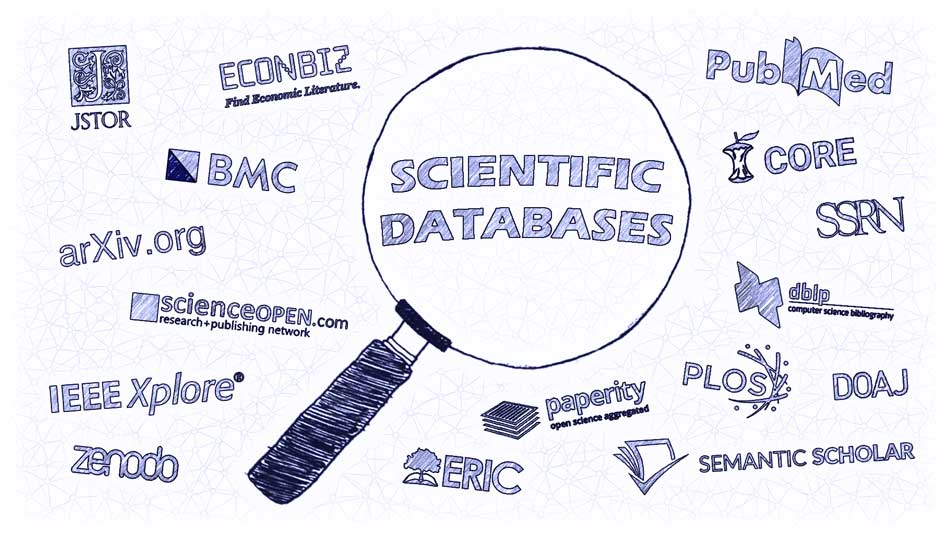
Staring at a blank “Works Cited” page? We’ve all been there. Typing a keyword into a general search engine often leads to a confusing mix of blog posts, commercial sites, and unreliable sources. For academic writing, you need a sharper tool. Scholarly databases are the academic world’s curated libraries, giving you direct access to the credible, peer-reviewed sources your professors expect. This guide to the best research databases will cut through the noise and show you exactly where to find the gold-standard research for your next paper.
Why Use Scholarly Databases?
While search engines cast a wide net, academic databases dive deep. They aggregate content from academic publishers, professional societies, and universities, offering:
Credibility: Primarily peer-reviewed sources, meaning experts have vetted the research before publication.
Precision: Advanced filters let you search by publication date, subject, methodology, and more.
Efficiency: No more sifting through irrelevant or low-quality web results.
Authority: Using these academic research tools demonstrates scholarly rigor and strengthens your argument.
Here are the top 10 databases to transform your research process.
1. Google Scholar
Your Academic Search Engine Launchpad.
What it is: A freely accessible search engine that indexes scholarly articles, theses, books, and court opinions.
Best For: Starting a broad search, finding a wide range of source types, and using the “Cited by” feature to trace scholarly conversation.
Pro Tip: Link it to your university library for direct access to full-text articles.
2. JSTOR
The Digital Archive for Humanities and Social Sciences.
What it is: A vast digital library of academic journals, books, and primary sources.
Best For: Historical research and finding landmark studies, as it often includes a journal’s complete back catalog (but may have a “moving wall” for recent articles).
Pro Tip: Great for interdisciplinary topics like history, sociology, literature, and political science.
3. PubMed
The Essential Hub for Life Sciences and Medicine.
What it is: A free resource from the National Library of Medicine, indexing biomedical literature from MEDLINE, life science journals, and online books.
Best For: Any research in medicine, nursing, dentistry, public health, or biology.
Pro Tip: Use its powerful Medical Subject Headings (MeSH) to find highly relevant articles.
4. ScienceDirect
A Leading Source for Scientific and Technical Research.
What it is: Elsevier’s platform hosting a massive collection of peer-reviewed journal articles and book chapters.
Best For: Cutting-edge research in physical sciences, engineering, health sciences, and social sciences.
Pro Tip: Look for “Open Access” labels for freely available full-text articles.
5. PsycINFO
The Comprehensive Database for Psychology.
What it is: From the American Psychological Association, this is the premier database for behavioral and social science research.
Best For: Any psychology topic, including related fields like education, business, nursing, and criminal justice.
Pro Tip: Use its detailed thesaurus of psychological terms for precise searches.
6. SpringerLink
A Vast Collection of Journals, Books, and Protocols.
What it is: Provides access to millions of scientific documents from journals, books, series, and reference works.
Best For: Research in science, technology, medicine, and increasingly, the humanities and social sciences.
Pro Tip: Excellent for finding authoritative book chapters on specific topics.
7. ProQuest
A Powerhouse Multidisciplinary Platform.
What it is: A massive aggregator hosting dozens of specialized databases, dissertations, news, and historical collections.
Best For: One-stop searching across many subjects, particularly for finding theses, dissertations, and historical newspapers.
Pro Tip: Access is usually through your university library; explore its many subsidiary databases like ProQuest Central.
8. ERIC (Education Resources Information Center)
The Definitive Database for Education Research.
What it is: A free digital library sponsored by the U.S. Department of Education, indexing education-related literature.
Best For: Topics in teaching, education policy, curriculum development, and educational psychology.
Pro Tip: Includes a unique mix of journal articles and non-journal materials like conference papers and reports.
9. Directory of Open Access Journals (DOAJ)
Your Gateway to Free, Quality-Controlled Journals.
What it is: A community-curated directory that indexes and provides access to high-quality, peer-reviewed open access journals.
Best For: Finding reputable, freely available research across all disciplines without a paywall.
Pro Tip: An essential tool for researchers without institutional library access.
10. Your University Library Portal
Your Most Important Academic Gateway.
What it is: The custom search interface on your university’s library website.
Best For: Everything. It connects you to the full-text subscriptions your institution pays for, often integrating the databases listed above.
Pro Tip: This is your research home base. Use its “Find Databases by Subject” feature to discover specialized resources for your field.
Tips for Effective Database Searching
Knowing where to look is half the battle. Use these database search tips to master the “how”:
Use Boolean Operators: Combine terms with AND, OR, and NOT to narrow or broaden results (e.g., “climate change” AND policy NOT United States).
Explore Subject Terms/Thesauri: Databases use controlled vocabularies. Find the preferred subject term to unlock the most relevant research.
Leverage Filters: Immediately filter results by publication date (last 5 years), source type (peer-reviewed journal), and subject.
Follow the Citations: Use an article’s reference list to find older sources, and use “Cited by” tools (in Google Scholar) to find newer research.
Set Up Alerts: Create email alerts for your search terms to get new research delivered automatically.
Mastering these academic research tools is a non-negotiable skill for academic success. By moving beyond basic web searches and leveraging the power of specialized databases, you ensure your writing is built on a foundation of authoritative, credible evidence. Start with your library portal, experiment with these top databases, and watch the quality of your sources—and your grades—rise.